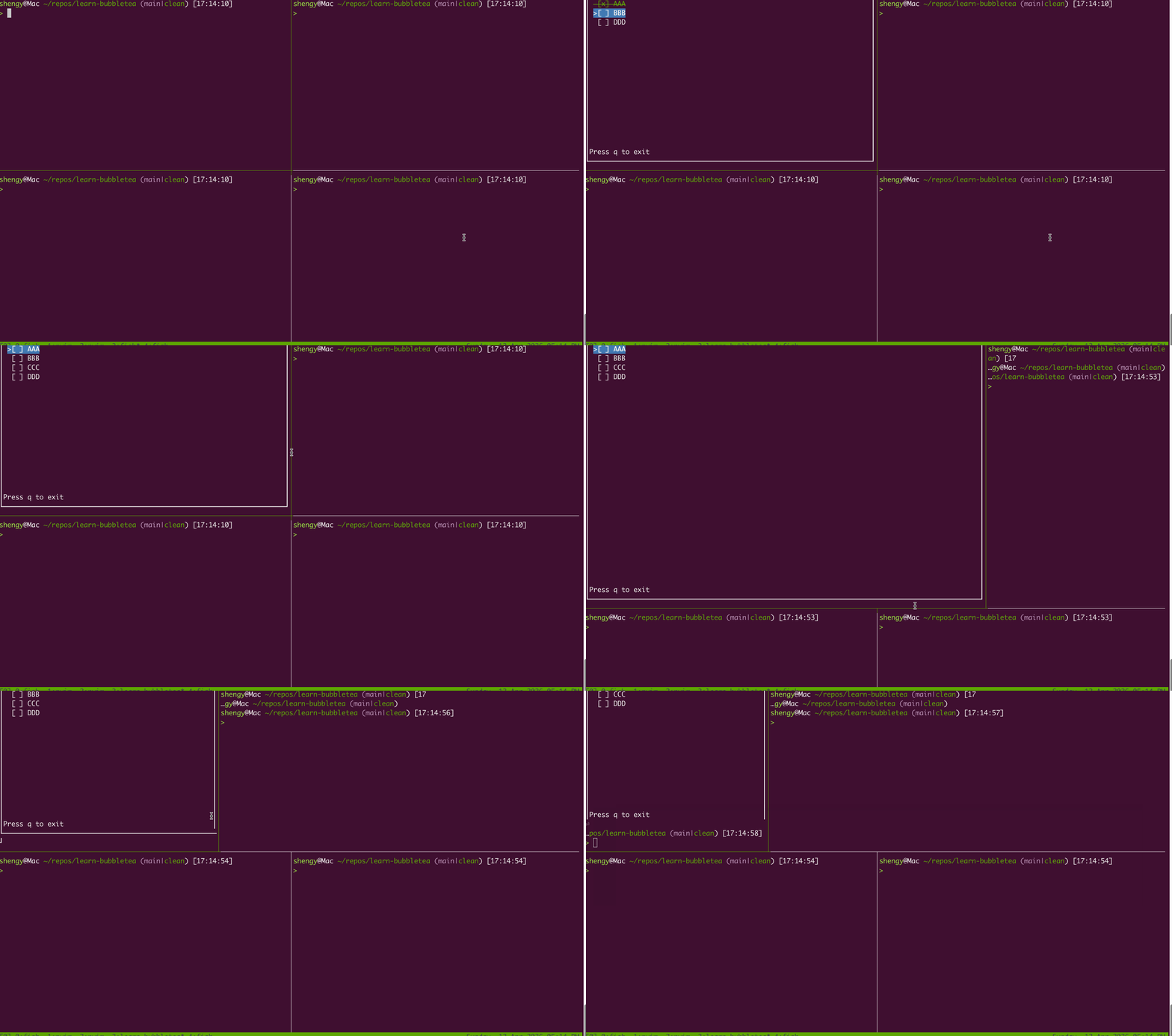
This part feels easy. Essentially trying to learn how to use lipgloss to style things.
I really like how this set of libraries are designed, feels very good to use.
Demo
Requirements
By Gemini
Create a lipgloss.Style for completed tasks (e.g., green, strikethrough).
Create a lipgloss.Style for the selected row (e.g., blue background, bold text).
Add a bordered box around the entire application.
Add a fixed footer at the bottom using lipgloss.JoinVertical.
By myself on the fly
Make sure that footer is at the bottom
Make sure it adapts to the entire terminal
Implementation
The code is here, I’ll skip the details of each step, instead I’ll just talk about the parts that I found interesting.
Where to apply the styles?
After reading a bit about lipgloss, I thought it was simply define a style and apply it in View().
It is pretty much that but a few things still went wrong.
I tried to apply the styles after every if branch when I go over the tasks.
Didn’t feel good because I feel like I’m mixing the content with the style.
// Buggy and BADfunc(mmodel)View()tea.View{log.Println(m)varsbstrings.Buildercursor:=" "fori,task:=rangem.tasks{style:=styleBaseifi==m.cursor{cursor=">"// how to add stylesstyle=style.Inherit(styleCurrentRow)}else{cursor=" "}marker:="[ ]"// use taskID instead of i to help with deleteif_,ok:=m.selected[task.id];ok{marker="[x]"s:=fmt.Sprintf("%s%s %s\n",cursor,marker,task.name)fmt.Fprintf(&sb,styleCompleted.Render(s))}else{marker="[ ]"s:=fmt.Sprintf("%s%s %s\n",cursor,marker,task.name)fmt.Fprintf(&sb,styleBase.Render(s))}}fmt.Fprintf(&sb,"Press q to exit")returntea.NewView(sb.String())}
Apart from style.Render caused an issue rendering \n(See the next section), it feels wrong to do it this way.
Instead I created a copy of style at the top of View, and override (Inherit) the style as I go over the model.
Then in the end call style render once
func(mmodel)View()tea.View{log.Println(m)varsbstrings.Buildercursor:=" "fori,task:=rangem.tasks{style:=styleBaseifi==m.cursor{cursor=">"// how to add stylesstyle=style.Inherit(styleCurrentRow)}else{cursor=" "}marker:="[ ]"// use taskID instead of i to help with deleteif_,ok:=m.selected[task.id];ok{marker="[x]"style=style.Inherit(styleCompleted)}else{marker="[ ]"}row:=fmt.Sprintf("%s%s %s",cursor,marker,task.name)row=style.Render(row)// put the \n after style.Render otherwise Render adds stuffrow+="\n"fmt.Fprintf(&sb,row)}body:=sb.String()body=lipgloss.NewStyle().Height(winHeight-footerHeight).// footerHeight is a constant that I set to 2, which is the height of the footerRender(body)footer:="Press q to exit"// body's height was calculated by winHeight so footer is pushed to the bottomall:=lipgloss.JoinVertical(0.2,body,footer)all=styleBorderedBox.Width(winWidth).Height(winHeight).Render(all)returntea.NewView(all)}
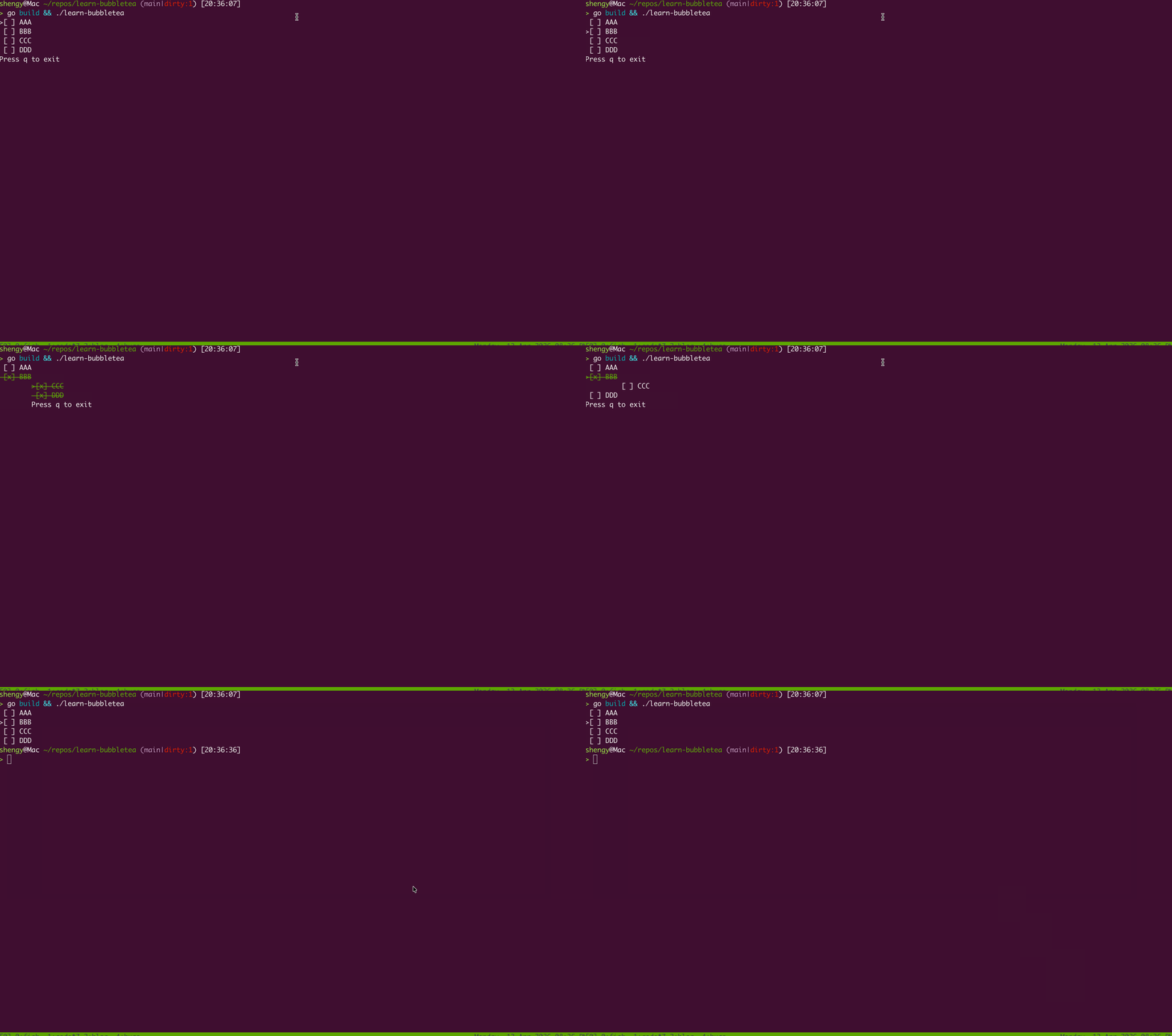
Issue calling Render with “\n”
The following is the buggy behavior caused by what I believe is that passing in a trailing “\n” into lipgloss’s Render function.
Still not 100% sure why this is an issue, might come back later for this.
The fix was to not pass “\n” in the end to Render
How to respect window dimensions and do an actual footer
I was trying to use JoinVertical to join the body and footer together, it did work but it used the content’s width as the bounding box.
So I gave myself an additional challenge to
Make sure that footer is at the bottom
Make sure it adapts to the entire terminal
lipgloss is a pure styling library, it does not know the current terminal’s width and height.
To get that I needed to listen to the WindowSizeMsg inside Update and update the current window’s winWidth and winHeight.
func(mmodel)View()tea.View{// ...body:=sb.String()body=lipgloss.NewStyle().Height(winHeight-footerHeight).Render(body)footer:="Press q to exit"// body's height was calculated by winHeight so footer is pushed to the bottomall:=lipgloss.JoinVertical(0.2,body,footer)all=styleBorderedBox.Width(winWidth).Height(winHeight).Render(all)returntea.NewView(all)}